01 / 04Prepare
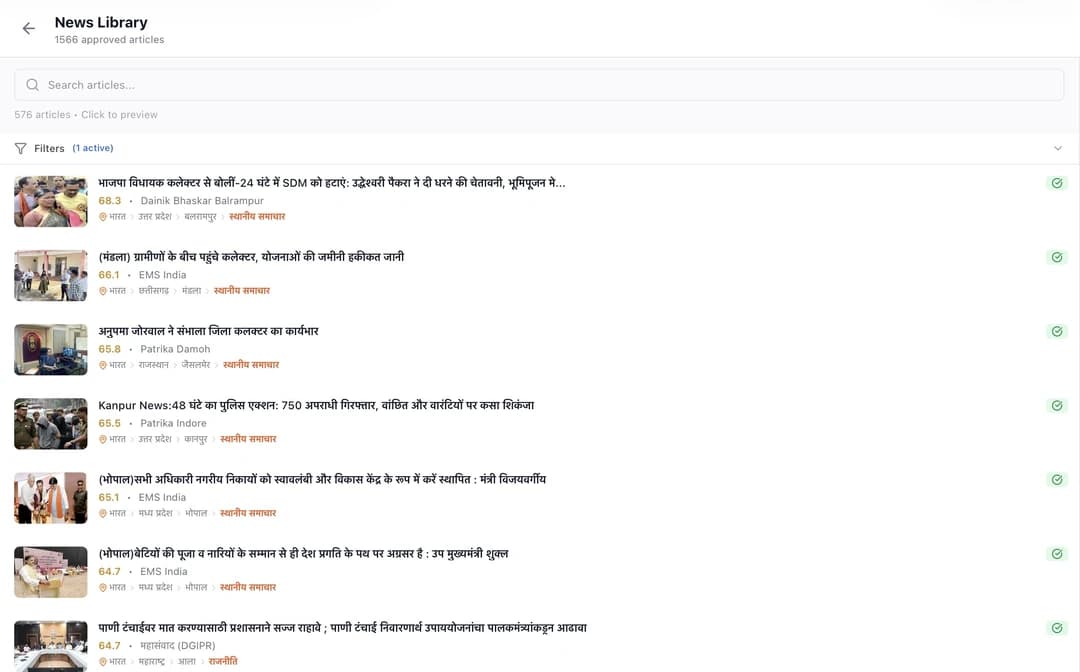
Bring material that is ready for production
Start with approved Hindi copy, original images, captions, bylines, ads, and edition details. The system should not invent facts or publishing rights.
Newspaper publishing software for 12 Indian newspaper languages
Publisher licence ₹22,999 · Agency licence ₹79,999 · Enterprise licence ₹3,80,000. One-time fees; continued page production is usage-based.
Bring approved Hindi stories, images, edition details, and ads. XLR8 builds an editable starting layout, your team corrects it, and the press receives a production PDF.
Hindi content in · Editable pages throughout · Human approval before print
Creating pages in another language? See the general newspaper generator →
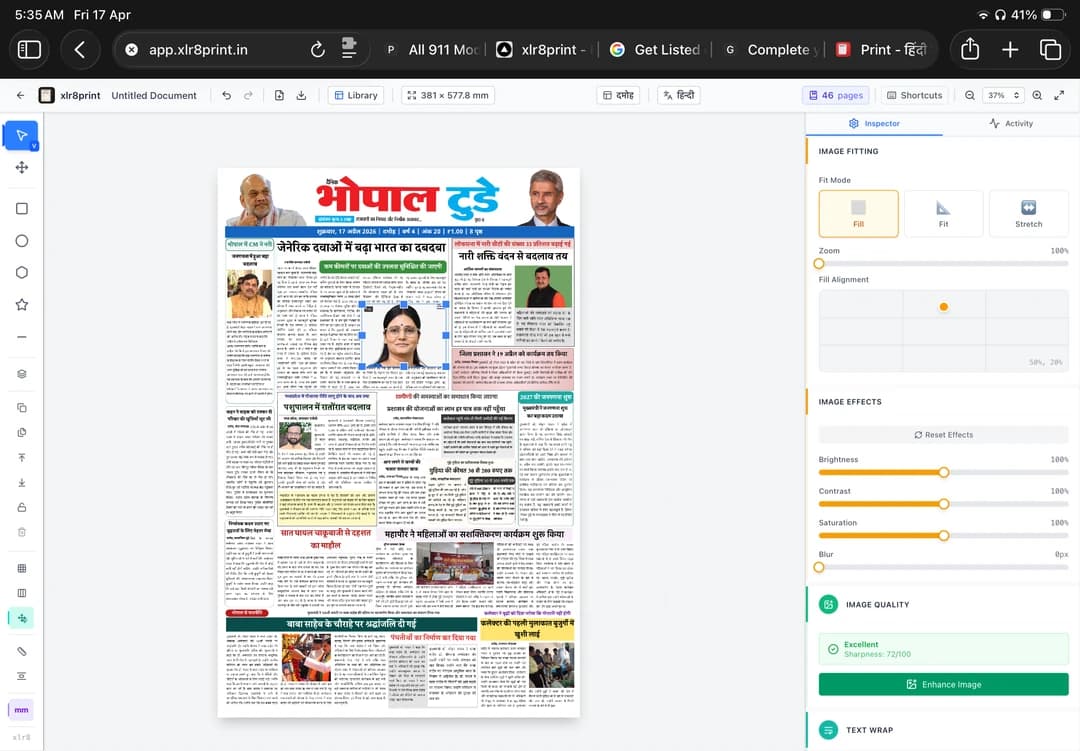
Every stage leaves a clear decision with the person who is responsible for it.
Start with approved Hindi copy, original images, captions, bylines, ads, and edition details. The system should not invent facts or publishing rights.
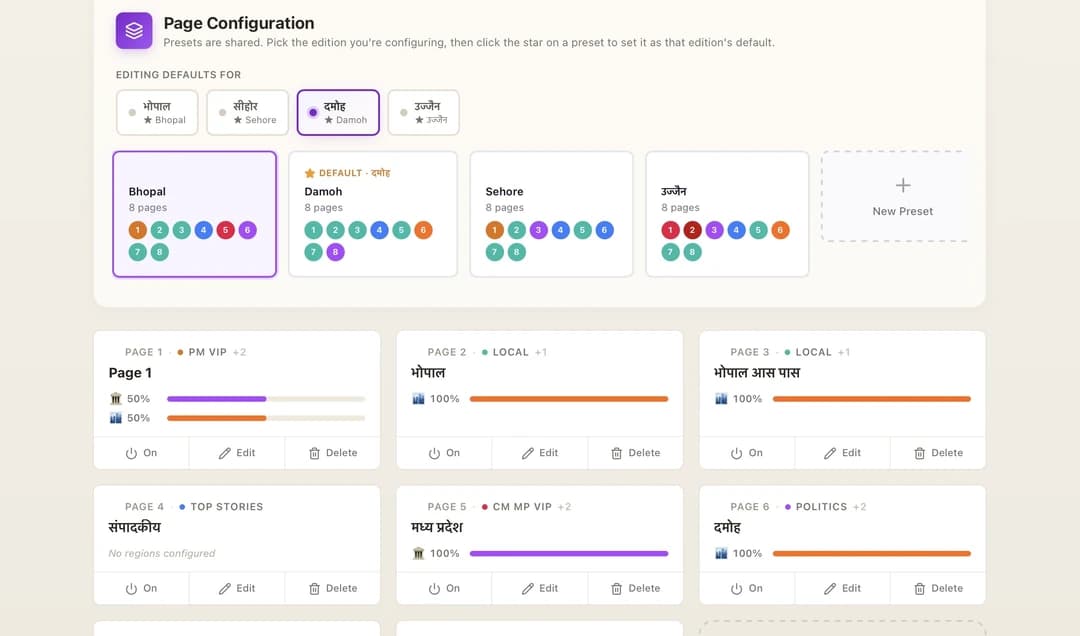
Reuse presets for local editions and decide the page count and section mix before layout starts. This keeps recurring editions consistent.
Review headlines, matras, shirorekha, line breaks, image crops, and visual priority. Edit the generated page instead of accepting it blindly.
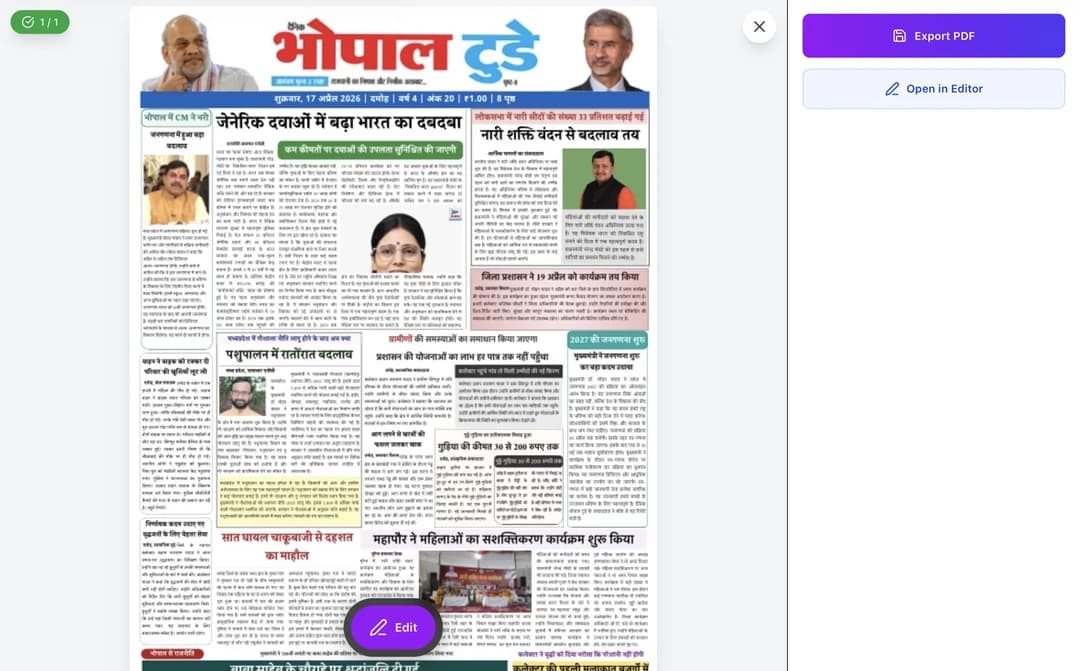
Open the finished page again if anything feels wrong. Export the approved edition to PDF only when the editor and production desk are satisfied.
Part 1 is the fast orientation. Part 2 goes deeper into owned news, advertisements, auto-fitting, the open editor, and page management.
Start here if XLR8 is new to you: the core page-generation path and the controls you will use first.
See owned stories, ads, auto-fitting, editor control, and page management working together in a real workflow.
Walkthrough by Monika Singhaniya
A generator is fastest when the newsroom has already made the decisions that software should not make.
Final story text, headline direction, byline, dateline, and caption.
Original or licensed images, credits, and a usable crop for the assigned frame.
Masthead, date, city or district edition, issue number, and imprint details.
Page count, section order, lead stories, pinned items, and ad positions.
Names, numbers, matras, conjuncts, punctuation, and local spellings.
Page size, required PDF settings, image quality, and the printer’s delivery rules.
XLR8 handles repeated production work. The publisher remains responsible for reporting, rights, legal checks, editorial priority, and the final printed page.
Need a language-neutral newspaper generator? See the general workflow →
Download the sample PDF and inspect Hindi type, image treatment, column density, masthead, and spacing. A working publisher should be able to judge the output without booking a demo first.
Download the sample PDF ↓Real output · No form · Downloads directly
Explore the eight-page Bhopal Today sample PDF. Use the four checks below when reviewing your own edition. The download contains the PDF, not the source stories or editable project.
Open the complete PDF and inspect every page at actual print size. Confirm page dimensions and image resolution requirements with your printer.
Open all eight pages and compare the lead stories, photographs and smaller stories with your approved page plan.
Check names, numbers, dates, matras and conjuncts against the approved source. Text fitting inside a frame is not evidence that its wording or facts are ready to publish.
Inspect small lettering, photo crops and advertisement edges at actual print size. Compare them with the supplied source material.
Verify page order, edition, publication date and imprint details. After any changes, export again and inspect the final PDF before press handoff.
It is software that helps create Hindi newspaper pages from stories, templates, images, and edition information. For print newspapers, the important part is not only generating text, but fitting Hindi content into page layouts and exporting a press-ready PDF.
XLR8 Print is built to reduce the production work behind Hindi newspaper pages. It helps with templates, article frames, Hindi fitting, and PDF export, while your team still controls editorial decisions and final approval.
Yes. Canva and image generators are general creative tools. XLR8 Print is focused on newspaper production: reusable page templates, Hindi typography, edition data, team workflow, and print-ready export.
No. XLR8 Print is paid production software for publishers. You can inspect the real sample PDF without filling a form. The ₹22,999 Publisher licence covers one newspaper with up to three editions and 10 pages; the ₹79,999 Agency licence covers multiple publishers with up to 10 editions and 10 shared pages; the ₹3,80,000 Enterprise licence covers unlimited editions. All include setup, training, and support; continued production is usage-based.
Prepare approved Hindi copy, image rights and credits, edition and imprint details, page and advertisement plans, and the printer’s PDF requirements. Assign an editor to check names, numbers, matras, line breaks, and the final proof.