Quick orientation
Start here if XLR8 is new to you: the core page-generation path and the controls you will use first.
Hindi newsroom workflow for newspaper publishers across Bharat
Publisher licence ₹22,999 · Agency licence ₹79,999. One-time fees; continued page production is usage-based.
Turn approved stories and images into a complete newspaper layout. XLR8 builds the first pages, your team edits every detail, and the finished edition exports as a press-ready PDF.
Publisher licence from ₹22,999, including setup and training. See plans and page costs.
Newspaper output in Hindi, Urdu, English, Marathi, Tamil, Telugu, Bengali, Gujarati, Malayalam, Kannada, Punjabi and Odia. Check your language.
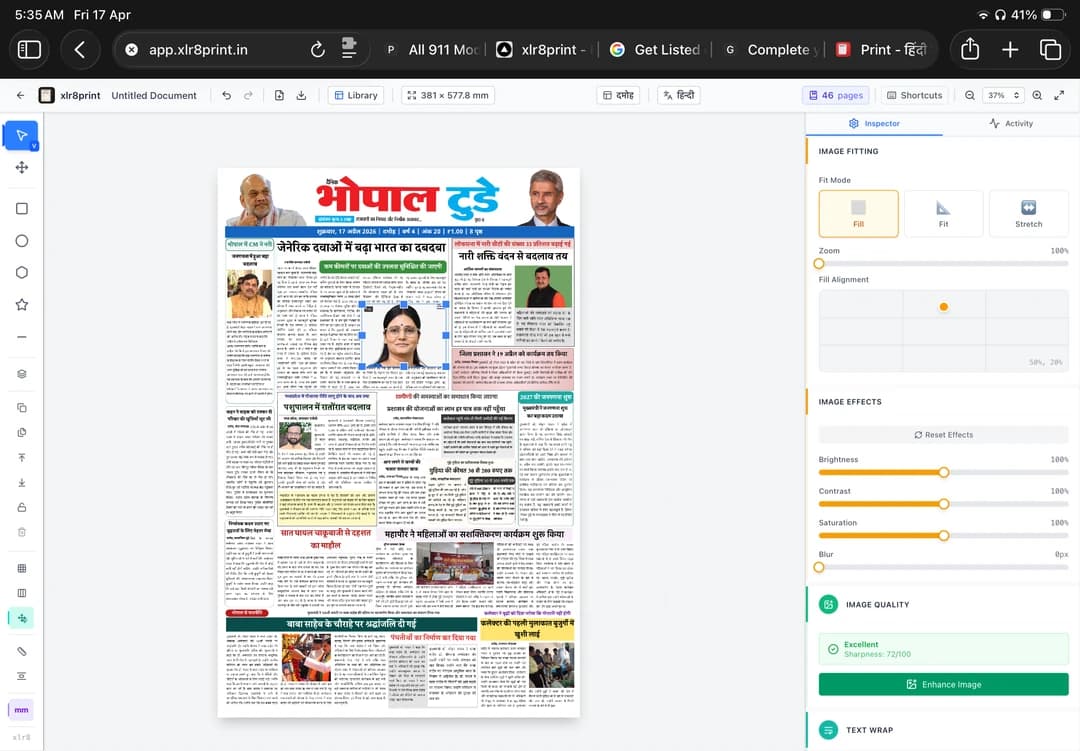
Part 1 is the fast orientation. Part 2 goes deeper into owned news, advertisements, auto-fitting, the open editor, and page management.
Start here if XLR8 is new to you: the core page-generation path and the controls you will use first.
See owned stories, ads, auto-fitting, editor control, and page management working together in a real workflow.
Walkthrough by Monika Singhaniya
Explore the eight-page Bhopal Today sample PDF. Use the four checks below when reviewing your own edition. The download contains the PDF, not the source stories or editable project.

Open the complete PDF and inspect every page at actual print size. Confirm page dimensions and image resolution requirements with your printer.
Open all eight pages and compare the lead stories, photographs and smaller stories with your approved page plan.
Check names, numbers, dates, matras and conjuncts against the approved source. Text fitting inside a frame is not evidence that its wording or facts are ready to publish.
Inspect small lettering, photo crops and advertisement edges at actual print size. Compare them with the supplied source material.
Verify page order, edition, publication date and imprint details. After any changes, export again and inspect the final PDF before press handoff.
Publisher and Agency have one-time licence fees that include setup, training, and support. Continued page production is usage-based. Corporate pricing is discussed based on your requirements.
₹22,999
One newspaper with up to three editions. Includes 50 pages; additional pages cost ₹25 each.
₹79,999
Manage multiple publishers. Includes 250 shared pages; additional pages cost ₹25 each.
Custom pricing
For corporate publishing needs. Package scope and pricing will be discussed based on your team's requirements.
Discuss pricing →The connected website, e-paper, and billing services are included while edition pages are produced through XLR8 Print. The demo and sample PDF are free to view; XLR8 Print is paid publisher software.
Register for XLR8 Print →Here is the full path from newsroom material to a page that can still be corrected before it reaches the press.
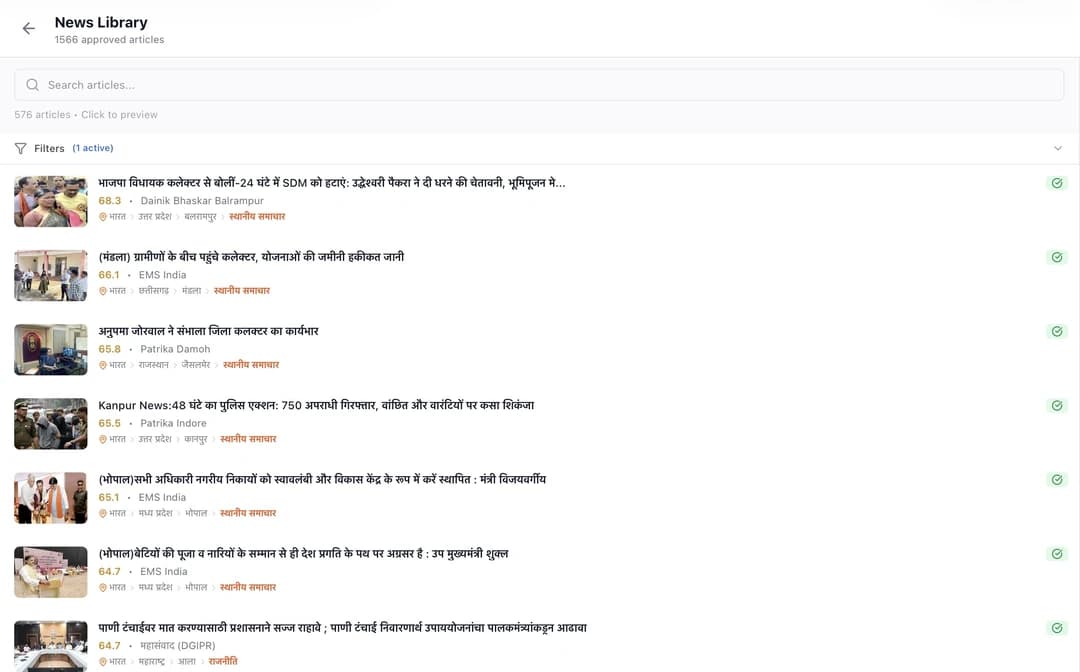
Search the news library, check the source and location, then choose what belongs in this edition. XLR8 does not decide what is true or important for you.
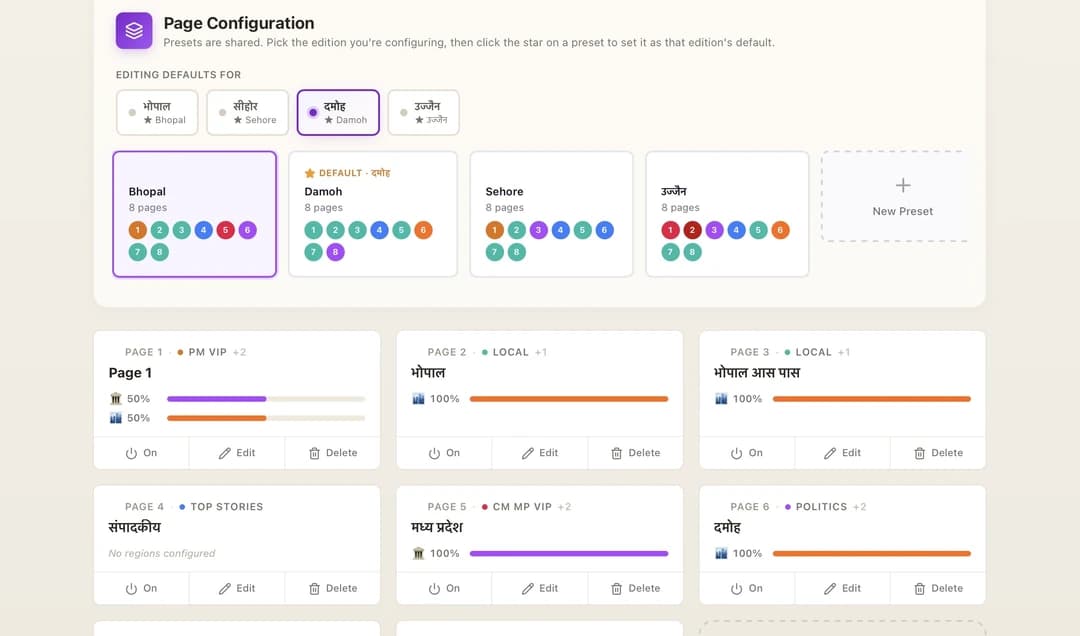
Reuse page presets for Bhopal, Damoh, Sehore, Ujjain, or your own editions. Page count, section mix, and recurring settings stay consistent.
Adjust images, text, fit, spacing, and page balance in the editor. Generation gives the team a starting page; it does not lock the layout.
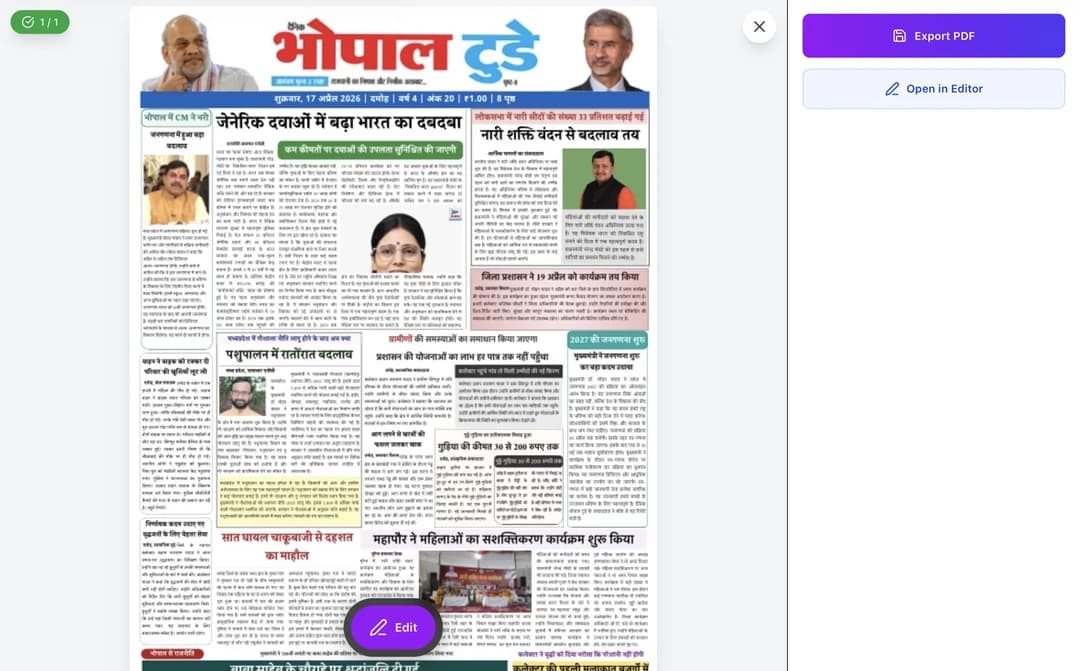
The last screen gives you both choices: open the page in the editor or send the approved version to PDF. Your team decides when the page is finished.
A generator is fastest when the newsroom has already made the decisions that software should not make.
Final copy, headline direction, bylines, captions, and datelines.
Original or licensed files, credits, and a crop that works in the assigned frame.
Masthead, date, city or district edition, issue number, and required imprint.
Page count, section order, lead stories, pinned items, and advertising positions.
A named editor who checks facts, spelling, hierarchy, and the final page.
Trim size, PDF requirements, image quality, and the printer’s delivery rules.
Your editor still chooses the stories, checks the facts, sets priority, fixes the page, and approves it. XLR8 handles the repeated production steps that consume the deadline.
See the Hindi newspaper workflow →Search results mix novelty front-page makers, AI writing tools, and production software. Start with the file and workflow you need at the end so a quick mockup does not become a production dead end.
Invitations, classroom props, social posts, or a novelty front page.
Usually produces one flattened image, not a reusable newspaper edition.
Drafting text when your editorial policy permits assisted writing.
Does not replace sourcing, fact-checking, page layout, proofing, or press export.
Recurring editions that need editable pages, templates, team review, and PDF output.
Still needs approved material, editorial judgment, and a final production proof.
An online newspaper generator helps turn stories, images, headlines, and edition information into newspaper pages. A production-grade generator should also support editing, proofing, reusable templates, and print-ready PDF export.
Yes. XLR8 Print is designed for multi-page newspaper production. Teams can work with multiple page templates, review the full edition, and export approved pages for printing.
Yes. It generates a structured starting layout and keeps the page editable so the team can adjust stories, images, hierarchy, and fitting before final approval.
The phrase can mean a novelty front-page image maker, a classroom newspaper template, an AI writing tool, or production software for recurring editions. Check whether the result is an editable page or only an image, whether it supports multiple pages and proofing, and whether the exported file meets your printer’s requirements.
Free tools can be suitable for a school project, invitation, or novelty front page. XLR8 Print is paid production software for publishers who need reusable layouts, editable pages, team review, Hindi fitting, and press-PDF output. A real sample PDF is available without a form.
Some tools only download a JPG or flattened design. For printing, confirm the real page size, fonts, image quality, editability, bleed if required, and the exact PDF specification with your printer before relying on the output.
The production workflow is intended for publisher-approved content. Editors remain responsible for sourcing, fact-checking, story priority, language, and final publication approval.
Yes. Hindi newspaper production is a core XLR8 Print use case, including Devanagari typography, article fitting, reusable templates, and print-ready PDF export.
No. XLR8 Print is production software for publishers, not a free novelty-image tool. You can inspect the real sample PDF without a form. The ₹22,999 Publisher licence covers one newspaper with up to three editions and 50 pages; the ₹79,999 Agency licence covers multiple publishers and 250 shared pages. Both include setup, training, and support; continued production is usage-based.
Prepare approved copy, usable images and credits, masthead and edition details, the page plan, advertisement positions, and your printer’s output requirements. A named editor should own the final proof.
XLR8 uses assisted automation for repeated layout and fitting work. It does not replace reporting, fact-checking, rights clearance, editorial priority, or the publisher’s final approval.